SOLOPUP · FREE RESOURCES · PUBLIC PREVIEW rc.5
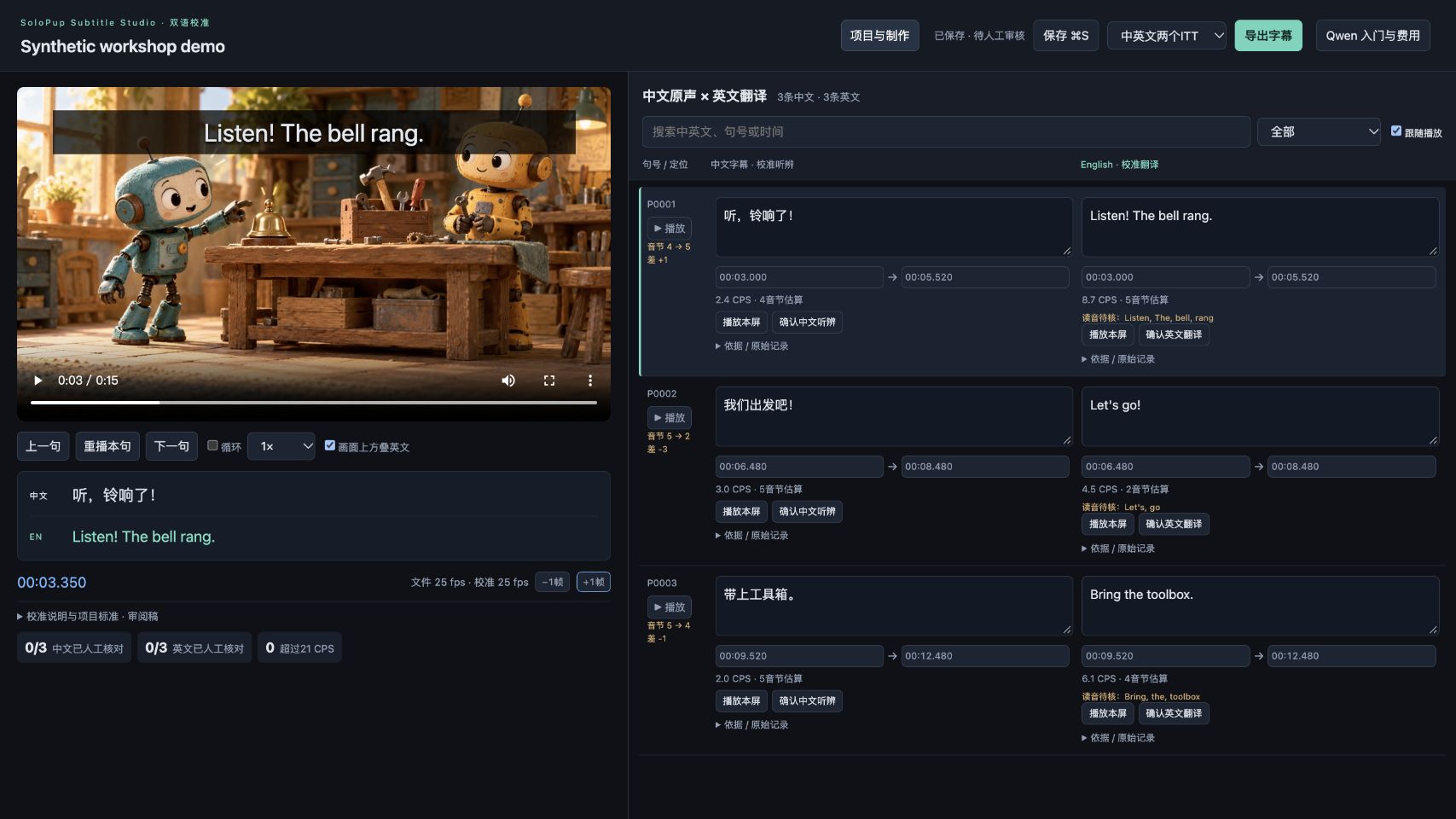
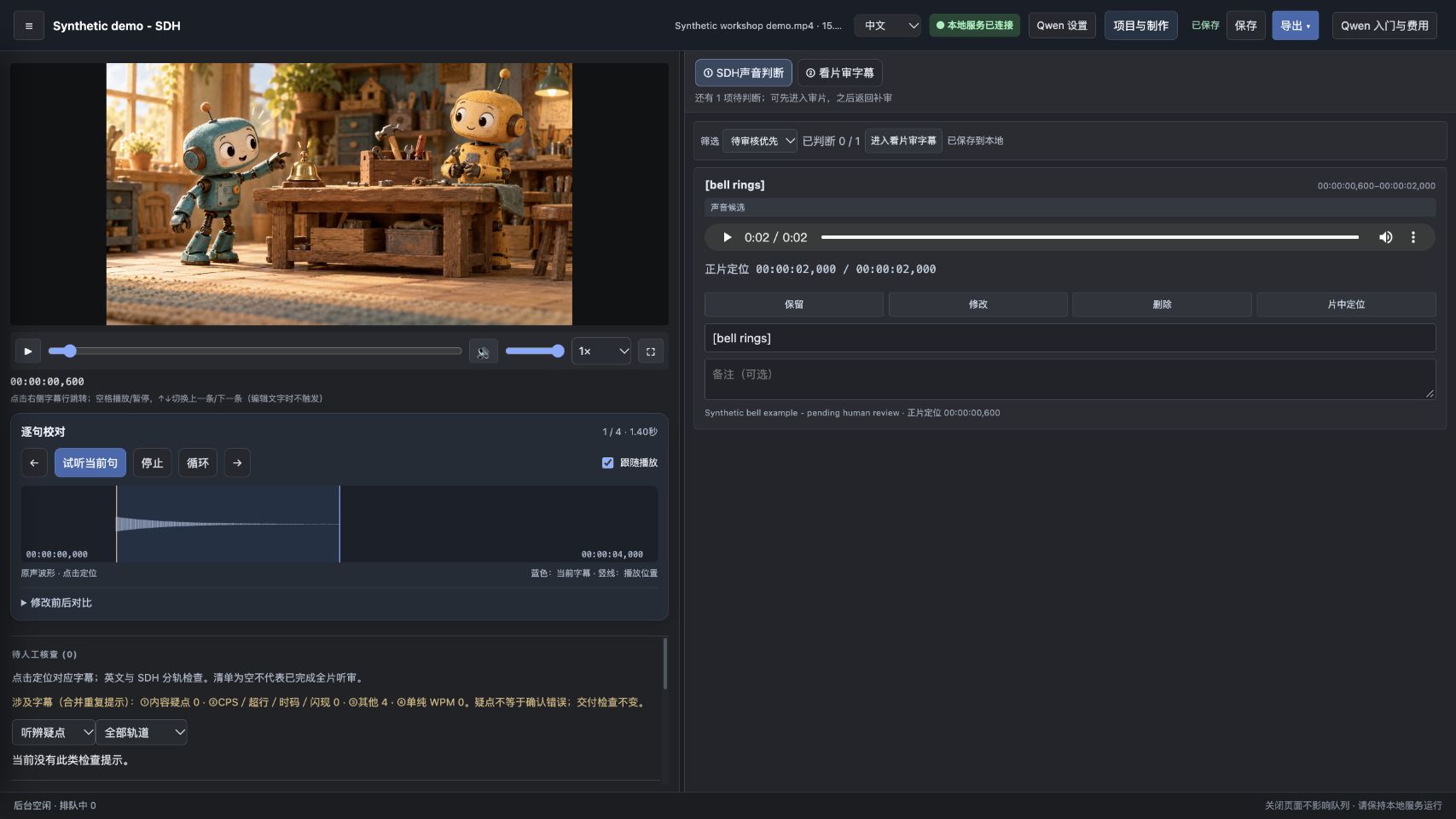
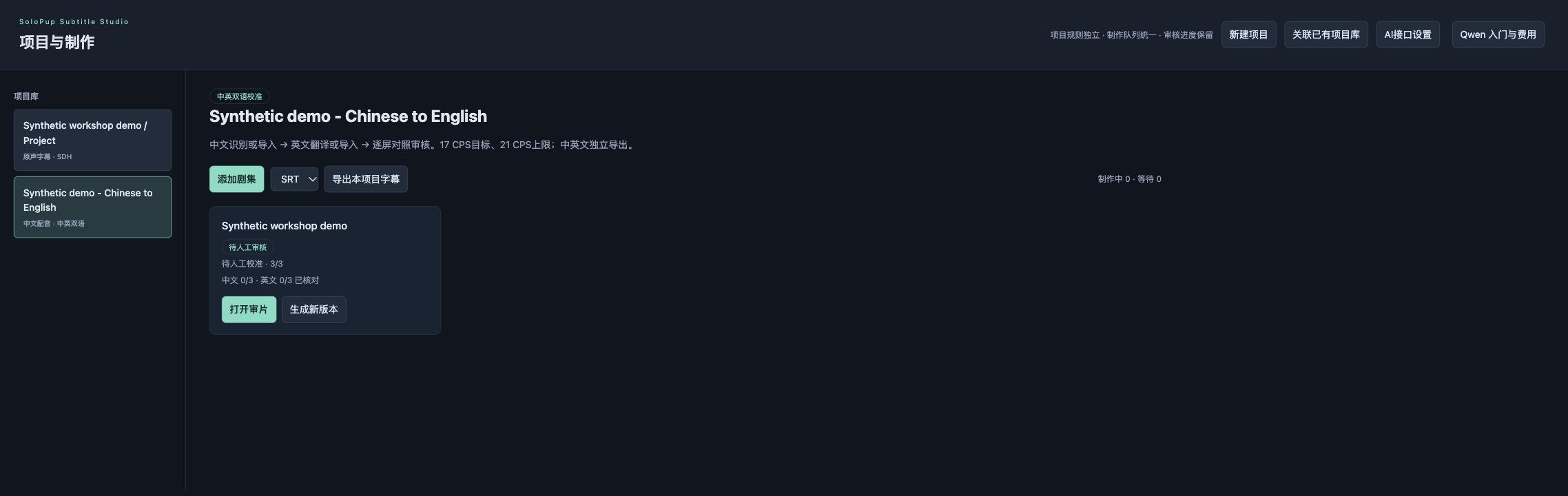
Three views of the review process.
Real UI screenshots already published with rc.5, now connected to a practical walkthrough.
1. Compare a subtitle pair
2. Inspect a sound candidate
3. Choose the right project and export
All screenshots use synthetic fixtures. The static movie artwork is AI-generated, and example text was imported without matching spoken dialogue. The gallery demonstrates controls, not recognition accuracy or a finished client delivery.
Download the local editorMore free tools & guides
Try before installing / 先体验,再安装
Edit a browser sample / 在线改一条字幕 · Choose the right download / 选择下载 · Commands for your OS / 按系统安装 · English control key · Search all resources / 搜索资源
This browser sample is a separate learning sandbox with invented text, not the full application. / 在线示例为独立教学体验,非完整工作台。