SOLOPUP · MIT OPEN SOURCE · v2.0.0-rc.5 PUBLIC PREVIEW
SDH accessibility caption review
Make the sounds that carry the story readable. Developed by SoloPup, the workspace keeps ordinary subtitles and SDH separate around the same video.
Download rc.5 previewTry existing subtitles
One of the core strengths
SDH (Subtitles for the Deaf and Hard of Hearing) supports deaf and hard-of-hearing viewers. Beyond dialogue and lyrics, review relevant speaker identity, meaningful sound effects, music and vocal delivery so the scene remains understandable without relying fully on sound.
A practical review loop
- Create a subtitles/SDH project and load the final video and appropriate subtitle tracks.
- Listen to each passage. Review sound candidates against the final mix and picture; do not infer a sound from an image.
- Use the waveform, short audio preview and Locate in film controls. Keep, revise or remove each candidate according to its significance.
- Check SDH wording, timing and its relationship to dialogue. Save decisions and export the chosen track as ITT or SRT.
An editorial example
Dialogue: “Who’s there?” A possible sound caption is “[knocking at the door]”. This is an invented example, not recognition output. Use it only when the soundtrack supports that description and the sound matters to understanding the scene.
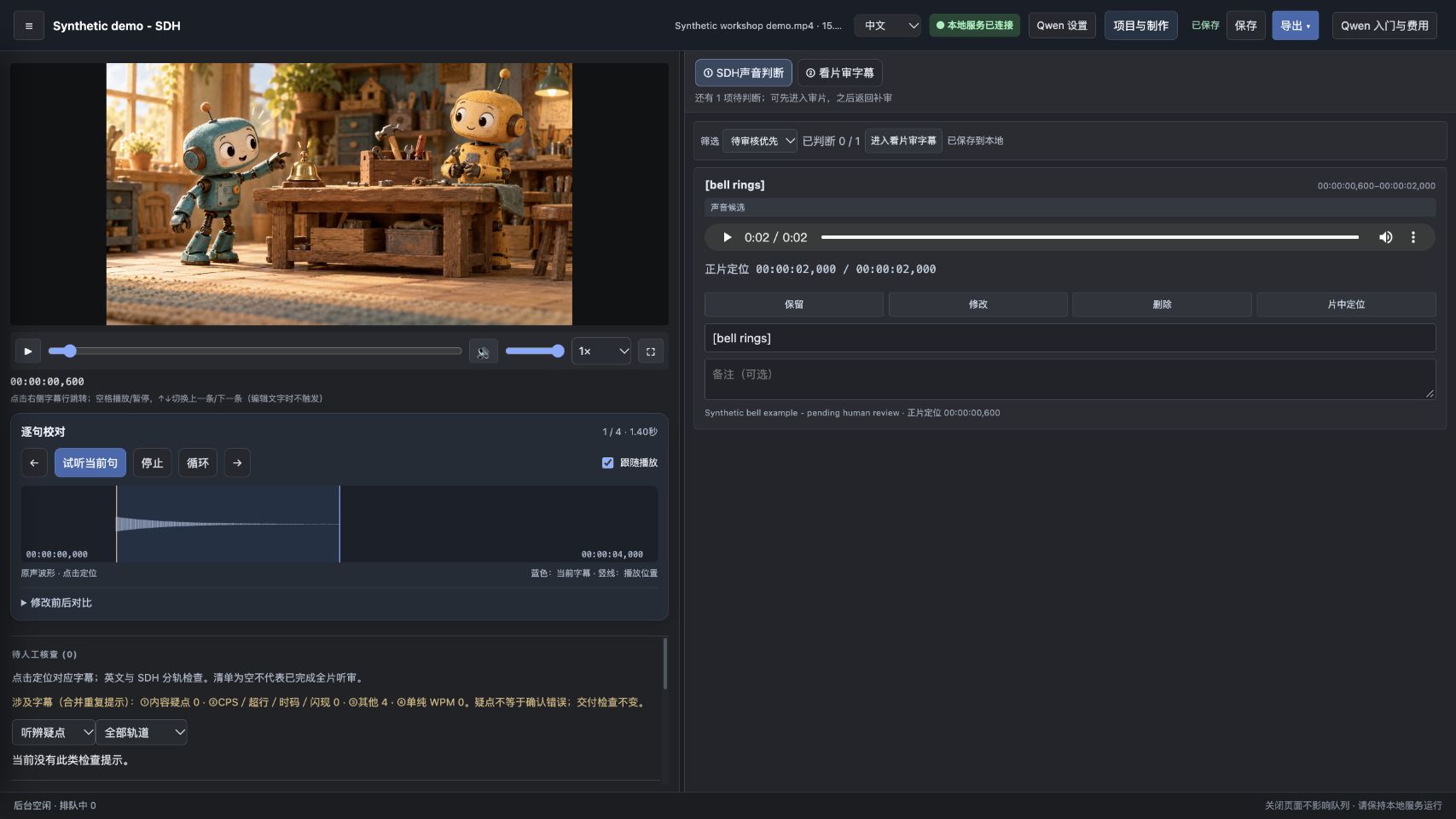
Screenshot: a synthetic bell candidate with a playable two-second sample. It remains pending human judgment. Only the movie artwork is AI-generated; the interface and waveform are captured from the running application.
Review is more than a successful export
Replay and loop passages, adjust playback speed and retain the editing history. A candidate, a saved decision, a format check and human audiovisual approval are separate states. Passing a local check does not establish accessibility quality or platform acceptance.